
Built around the work
Win the work.
Run the day.
Free contractor estimate generator and job planner
Professional contractor estimates and practical job planning. From the first price to the final checklist, keep the details moving with you.
No signup for estimates. Your rates. Your numbers.
One connected workflow
Less chasing details.
More getting it done.
Keep the quote, the customer and the work connected. Start with an estimate, then give every job a clear next step.
Price with confidence.
Itemize labor and materials, check the math and send a customer-ready PDF. Every rate stays under your control.
Build an estimateGive the work a place.
Connect an estimate to a job. Set a date, add the location and record who the work is assigned to.
Plan a jobKeep progress visible.
Move jobs from planned to completed, keep notes and tick off the checklist as the work gets done.
Open the job boardThe job workspace
A clear view of
what happens next.
Board and schedule views for the same jobs. Customer details and linked estimates stay close at hand, on desktop or in your phone's browser.
Explore your workspace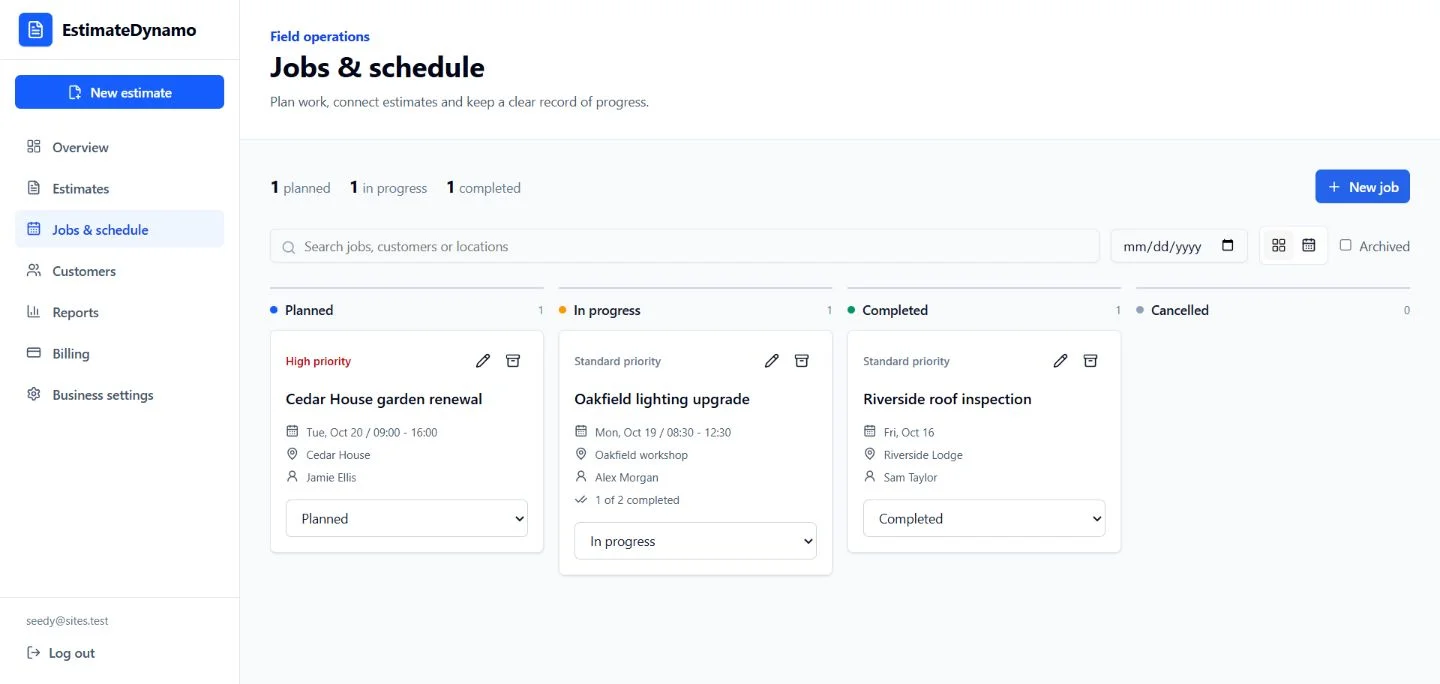
Your trade. Your workflow.
Built for real jobs,
not just spreadsheets.
Use a dedicated estimating tool for your trade, or start with the universal generator. The same job workspace keeps your day organized.
Useful before you sign in
The right tools.
No blank page.
Start pricing immediately. Save the workspace for when you need your jobs, customers and estimates in one place.
Create free estimateKnow the job before you quote it
Practical guides.
Better decisions.
How to Write a Contractor Estimate (Step-by-Step Guide)
Learn how to write a clear, profitable contractor estimate: what to include, how to price labor and materials, and how to avoid the mistakes that cost contractors money.
Markup vs Margin for Contractors: Calculator, Formulas & Examples
Markup and margin are not the same number. Use the free calculator, learn the formulas, see worked examples and conversion tables, and price every job to hit your target profit.
How to Price Plumbing Jobs: Labor, Parts & Worked Example
Build a plumbing job price from person-hours, parts, travel and overhead. Follow a $500 cost example to a $625 quote, and compare flat-rate with hourly pricing.
Lawn Care Pricing Calculator & Landscaping Job Examples
Calculate lawn care prices from your crew time, travel, equipment and markup. Compare per-visit prices with seasonal billing, plus a worked mulch installation.
Estimate Follow-Up Emails & Change Orders: Worked Examples
Use three contractor estimate follow-up email examples and an itemized $400 change order. Record scope, revised totals, schedule effects and written approval.
Estimate vs Quote vs Proposal vs Bid: What's the Difference?
Estimate vs quote vs proposal vs bid: they are not the same document. See the comparison table, when to send each one and how to protect your price.
Clear tools.
No surprises.
No invented local prices, no made-up performance claims and no changes to your existing subscription.
Can I create an estimate without an account?
Yes. The free estimate generator calculates your line items, markup, tax and deposit and produces a PDF without signup. Use your own supplier and labor rates.
What can I manage in the job workspace?
A signed-in account can create jobs, link customers and estimates, set dates and times, record an assignee reference, track status and complete job checklists. Jobs can be archived and restored.
Does the job workspace include team accounts or a mobile app?
Not yet. Job planning currently belongs to a single business account. It works in a mobile browser, but it does not provide separate staff logins, offline operation, GPS tracking or native mobile apps.
Will this change my subscription?
No. Existing plans and prices stay the same. Business reporting remains part of Business; job planning is available in the signed-in workspace without a new subscription.
From quote to completion